Today shows the next useful session
The home screen is centered on the next guided posture session, so users do not need to decide between a library, a challenge, and a random stretch.
 Renava Daily posture training
 Posture training app
Renava is built for people who know they should work on posture but do not want to build a program from scratch. The app gives you the next session, the movement cues, the timing, and the progress path in one place.
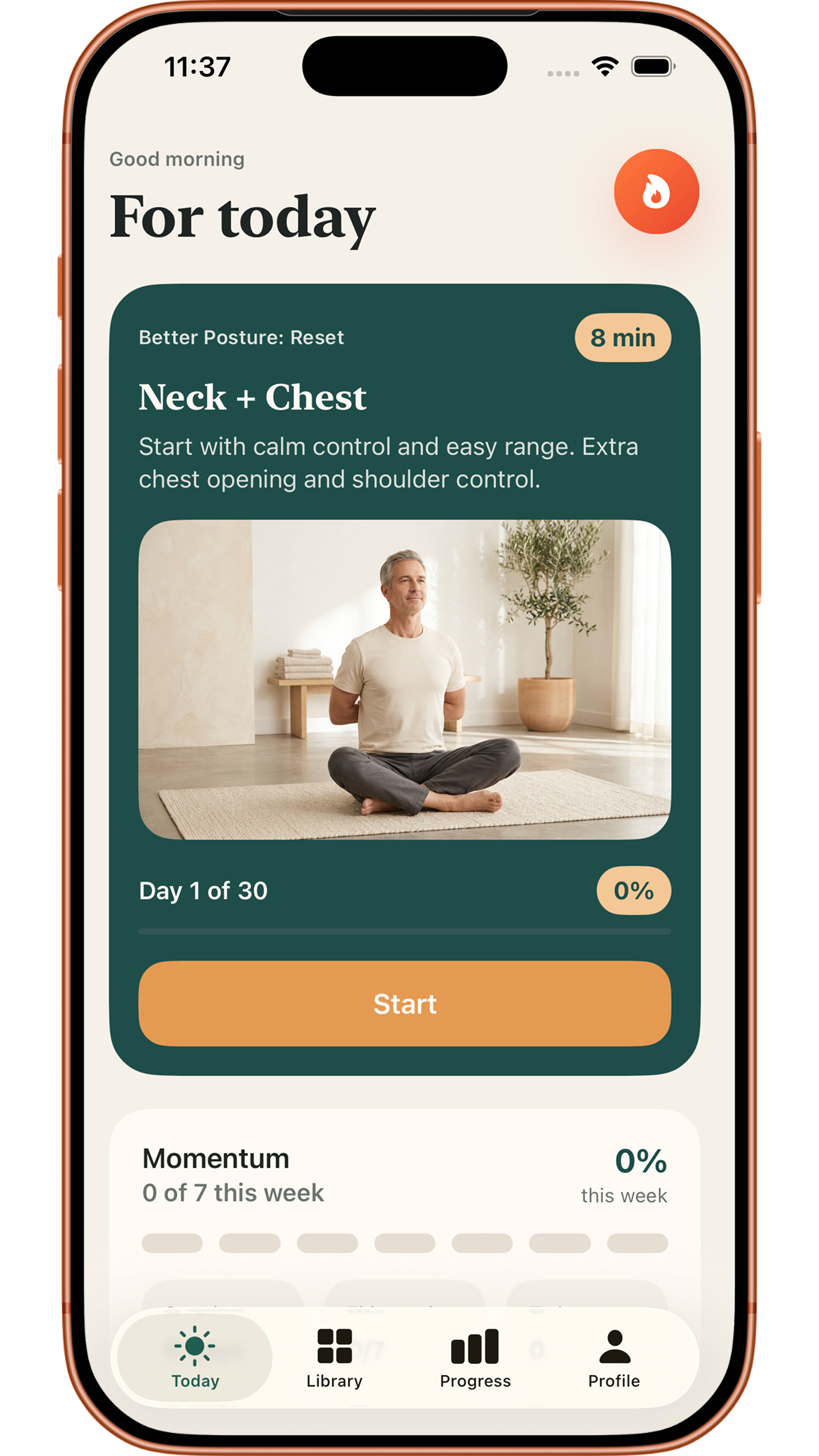
Most posture reminders stop at the alert. Renava focuses on the part that actually needs structure: what to practice, how long to do it, and how to keep the habit going after the first day.
The home screen is centered on the next guided posture session, so users do not need to decide between a library, a challenge, and a random stretch.
A session can focus on neck control, shoulder opening, thoracic mobility, breathing reset, posture integration, or support work. The goal is visible before the user starts.
Program days, routine sessions, active minutes, weekly rhythm, and streaks are tracked together so progress is not reduced to one completion checkmark.
The first week is intentionally soft. It teaches the user that posture practice is repeatable, guided, and short enough to fit into normal days.
An 8 minute entry session with grounding breath, chin tucks, wall slides, and shoulder rolls. The goal is to learn the format without forcing intensity.
A short session around neck nods, shoulder blade glides, side neck release, and slow arm raises for users who feel screen-time tension.
A practical anti-desk reset using seated extension, doorway opening, chin tucks, and shoulder rolls after long sitting blocks.
Renava works best for users who want a practical posture habit, not a heavy fitness plan or a medical diagnosis tool.
People who sit for long periods can use short guided resets around the neck, shoulders, chest, ribs, and upper back.
The app keeps movements approachable with simple cues, short durations, and home-friendly options before adding stronger progressions.
Users who like clear daily structure get a path, routines, reminders, and progress instead of a loose exercise catalog.
Renava combines a program path, routine library, guided workout player, progress layer, and reminders so the website promise matches the actual product.
Better Posture: Reset, Strengthen, Stabilize, and Maintain create a long-term path rather than a one-week challenge.
Morning Charge, Back Release, Full Body Stretch, and Evening Mobility Reset support different moments of the day.
Video, steps, timers, reps, rest states, and completion flow keep the session moving like a lightweight coach.
Renava is a posture training app for guided movement, routines, and daily consistency. It can be described as a posture correction app in the App Store category sense, but it does not diagnose or treat medical conditions.
The first guided reset is about 8 minutes. Many routines are in the 5 to 12 minute range, including 5 minute desk resets, 6 minute morning sessions, 7 minute evening mobility, and 10 minute stretch sessions.
Many sessions use no special equipment. Some movements may use a wall, chair, doorway, mat, or resistance band depending on the plan and progression.
No. It is also useful for people who want a repeatable daily movement habit after sitting, working at a screen, or feeling stiff in the neck, shoulders, chest, and upper back.
No. Renava provides general wellness and fitness guidance. Users should consult a qualified professional for injuries, medical conditions, pain, numbness, dizziness, or unusual discomfort.
Open Renava, follow the first reset, and let the app show the next useful session after that.
Explore the connected parts of the Renava posture system: the app, routines, program path, desk resets, focus areas, and guided exercises.